Quickstart
Five minutes, no calculation of your own, no vibe-qc.
1. Clone and install
You need Git and Python 3.11 or newer. These install commands are for macOS and Linux; the installation guide covers prerequisites and other options. If you already installed the viewer, skip to step 2.
Clone the public source repository:
git clone https://github.com/vibe-qc/vibe-view.git
Then install from the repository root:
cd vibe-view
./scripts/install.sh
source .venv/bin/activate
2. Check the installation
vibe-view doctor
Every optional mode gets a row saying whether it is ready and, when it is
not, the command that would fix it. A Core install: ready line is enough to
continue.
3. Make a file to look at
vibe-view demo
demo writes a bundled water structure as a real QVF archive and validates
it. It needs neither vibe-qc nor an input file of your own. When it finishes
it prints the browser, desktop, terminal and headless next steps for the file
it just wrote.
-o FILE chooses the output path; --force replaces an existing demo.
Note
vibe-view quickstart is a different command. It runs a real vibe-qc
calculation and then opens it, so it requires vibe-qc in the same
environment. demo is the one that works on a bare viewer install.
4. Look at it
vibe-view demo --open # write it and launch the browser in one step
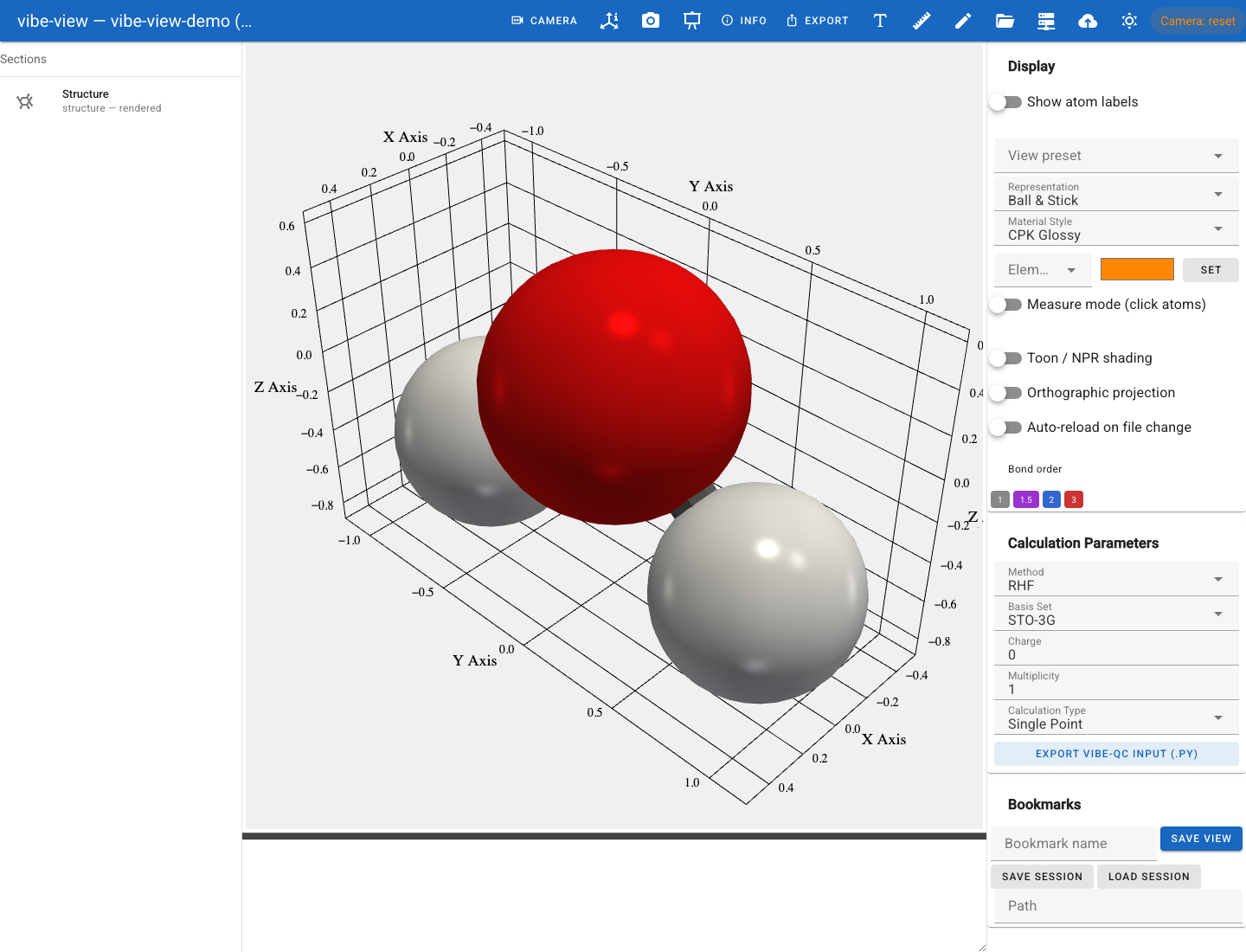
The built-in demo after opening Structure and choosing the light background.
Or pick the surface that suits where you are:
vibe-view open vibe-view-demo.qvf      # browser          — needs the [viewer] extra
vibe-view desktop vibe-view-demo.qvf   # native window    — source checkout + Electron
vibe-view tui vibe-view-demo.qvf       # interactive TUI  — needs the [tui] extra
vibe-view show vibe-view-demo.qvf      # one frame of braille, then exit — needs nothing
show is the one to remember for a login node: it renders the real 3-D scene
as Unicode braille with no display server, no OpenGL and no X forwarding.
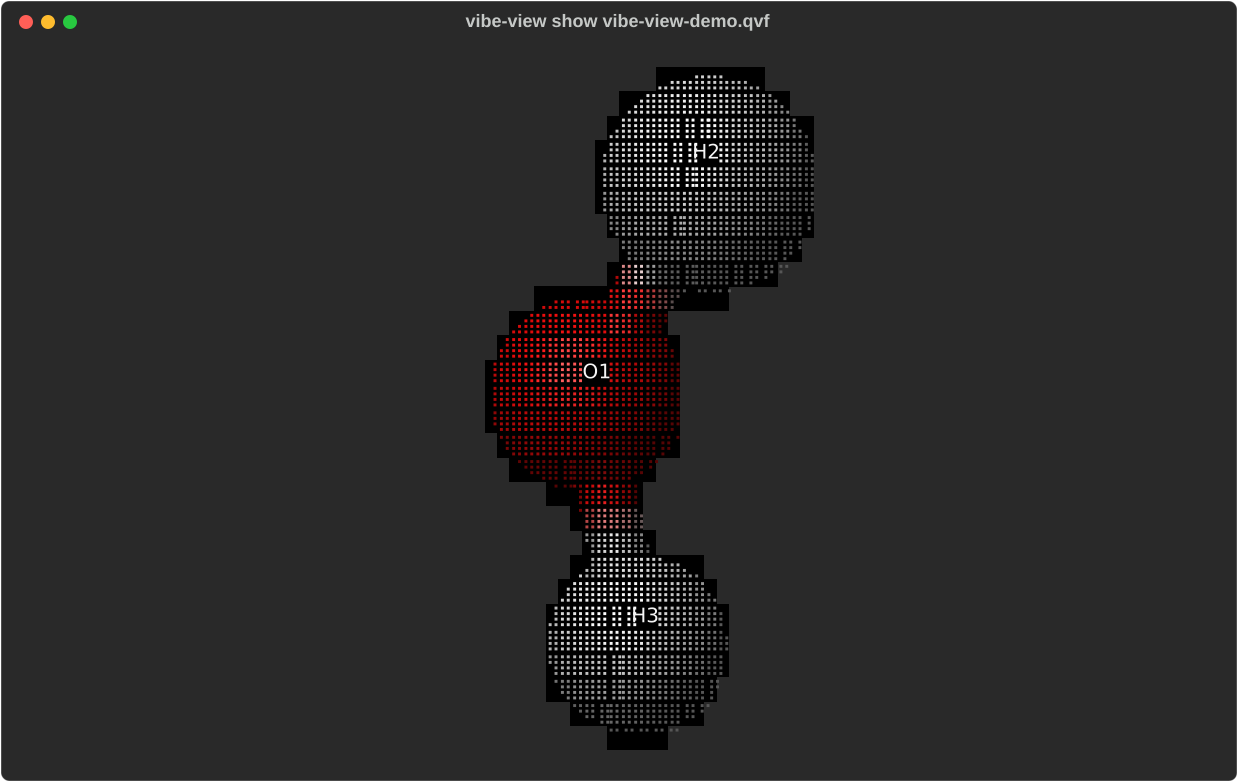
The same water structure rendered by vibe-view show, directly from its terminal output.
5. Ask it questions without opening anything
vibe-view info vibe-view-demo.qvf              # metadata and section sizes
vibe-view info vibe-view-demo.qvf --json       # ... for a script
vibe-view validate vibe-view-demo.qvf          # SHA-256 integrity check of every section
vibe-view table vibe-view-demo.qvf             # dump tabular sections
Already have data?
Pick the shortest route:
Goal |
Command |
|---|---|
Open a QVF or a supported loose file in a browser |
|
Work over SSH with no display |
|
Use a native window from the source checkout |
|
See which loose formats this installation supports |
|
Convert a loose file into a persistent QVF |
|
Render a figure with no display at all |
|
Compare two calculations |
|
vibe-view open accepts loose structure files directly — you do not have to
convert first. Use import when you want a persistent QVF to keep.
A figure, headlessly
No display server needed; this is the core install, and it is what a CI job or a batch pipeline would run.
vibe-view capture vibe-view-demo.qvf -o structure.png
vibe-view batch *.qvf --volumes -o gallery/
vibe-view export vibe-view-demo.qvf -o molecule.html      # standalone 3-D page
From Python
from vibeview import info, validate, capture_structure, render_terminal

data = info("vibe-view-demo.qvf")
print(data["scf_energy_eh"])

capture_structure("vibe-view-demo.qvf", "structure.png")

# Same renderers, text instead of a PNG — and no OpenGL context needed,
# so this one works on a headless compute node.
print(render_terminal("vibe-view-demo.qvf", size=(80, 24)))
The full surface is in the Python SDK reference.
Where to go next
A tour of the viewer — panel by panel, with screenshots.
What vibe-view can show you — every section kind and the surface that renders it.
The browser viewer, terminal mode and figures without a display — the reference for each surface.
CLI reference — every command, grouped by task.
The QVF format — what is in the archive you just opened.
Troubleshooting — when a mode will not start.
Run vibe-view examples to see worked workflows, and
vibe-view examples --copy DIR to drop the bundled example files somewhere
you can edit them.