vibe-view
Open a quantum-chemistry result and look at it. In a browser, a native desktop window, a terminal over SSH, a headless figure pipeline, or Python.
vibe-view reads QVF calculation archives and a set of common structure and volume formats. It is a standalone tool: installing it does not install or build vibe-qc. vibe-qc is one QVF producer among others, and none of them is required to run the viewer.
Tip
This site documents vibe-view 2.18.0, Richardson’s Robin.
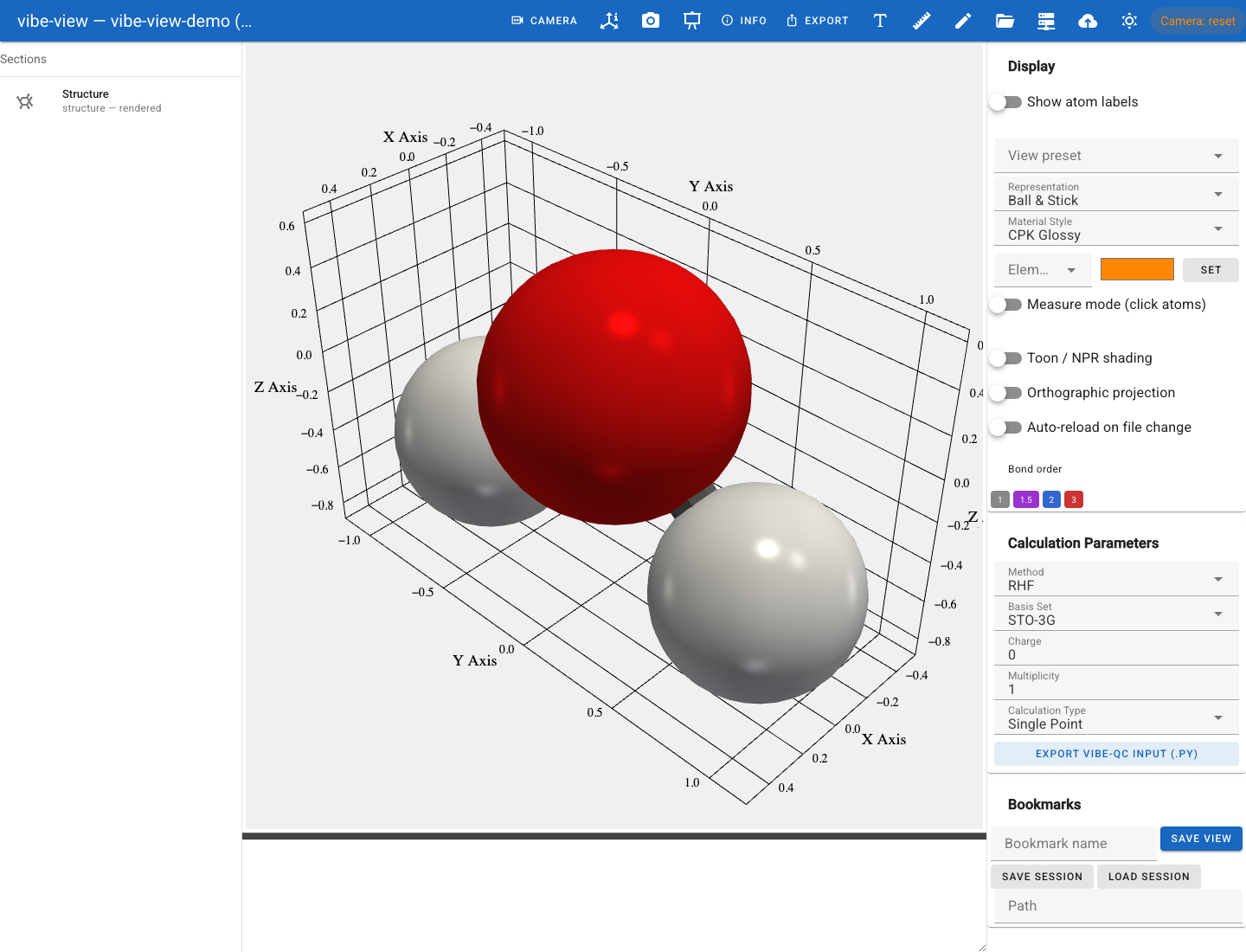
Open the built-in water demo in the quickstart.
Start here
Python 3.11+, one script, no compiler. Which optional extra buys you what.
Five minutes from a fresh checkout to a rendered molecule, with no calculation of your own to hand.
Panel by panel: structures, densities, orbitals, spectra, bands, and the same file in the terminal and from Python.
Every command, grouped by what you are trying to do.
Four ways to look at the same file
vibe-view is one renderer stack behind four front ends. Every one of them reads the same archive and draws it with the same code, so a figure captured headlessly on a compute node matches what the browser shows.
Surface |
Command |
Needs |
Good for |
|---|---|---|---|
|
|
Interactive exploration, editing, the vq job panel |
|
|
|
A native window with the OS menu bar |
|
|
|
A login node with no display server, GL or X forwarding |
|
|
Core install only |
Figures for a paper, CI artifacts, batch pipelines |
|
|
Core install only |
Notebooks, scripts, anything programmatic |
vibe-view show is worth singling out: it renders a real 3-D view, atoms,
bonds and isosurfaces, as Unicode braille, needs no OpenGL context at all,
and therefore works anywhere a shell does.
Documentation
Getting started
- Installation
- Quickstart
- A tour of the viewer
- 1. Something to look at
- 2. Open it
- 3. The structure
- 4. Density and difference density
- 5. Orbitals: stored and on demand
- 6. Charges
- 7. Vibrations and the IR spectrum
- 8. Trajectories and reaction paths
- 9. Convergence and provenance
- 10. A periodic file
- 11. Two files at once
- 12. Save the views you found
- 13. The same archive, elsewhere
- Where next
- What vibe-view can show you
The surfaces
Data and formats
Where things live
vibe-view is one of five repositories split out of the private vibe-qc
monorepo on 2026-09-08. Each is independently installable and separately
versioned.
Project |
What it is |
Documentation |
|---|---|---|
vibe-view |
This viewer |
you are here |
vibe-qc |
The quantum-chemistry program; one QVF producer |
|
vibe-queue ( |
Job scheduler; the |
|
qvf |
The normative QVF specification and conformance corpus |
Public source · Issues · Licence: MPL 2.0