Reproduce a reaction with CLI, Python, REST and MCP
Use the same Diels–Alder reaction through every interface. The downloadable clients check their results and create a new output directory, so a repeated run cannot silently overwrite an earlier exercise. These examples prepare figures and vibe-qc inputs; they do not submit calculations.
Command line and Python SDK
Download reaction_cli.sh, activate the vibe-sketch environment, and run:
bash reaction_cli.sh diels-alder-cli
vibe-sketch serve diels-alder-cli/ready.vsk --open
The script exercises convert, validate, info, schema, writers,
clean, render, embed, input, name and --version. It prints a
name only if the optional naming engine verifies one. The opened document
shows the same species the command-line report describes. With a source
installation, vibe-sketch desktop diels-alder-cli/ready.vsk launches the
native window instead.
For the SDK, run named_reactions.py:
python named_reactions.py named-reaction-files
It uses import_into, derive, clean, embed, the document models,
save, export, write_input and write_inputs. It checks chemical formulas,
spin, 3D caching/replacement, exchange-format round-trips and writer refusals.
Inspect the code around the operation you want to adapt; all examples use
the document’s actual species ids. WriterRefusal.reasons explains unsupported
requests. Use the SDK’s write_output for outputs that may replace an
existing file, so QVF-result protection is applied.
An MCP client using the actual protocol
Register the command as in Working with agents. To follow a
visible session, configure vibe-sketch mcp --server URL; omit --server
for discovery of an existing local server, or use --new-server to start
one separately. The server’s address is written on stderr, preserving the
MCP protocol on stdout.
Download reaction_mcp.py:
python reaction_mcp.py http://127.0.0.1:8766 diels-alder-mcp
This is a real stdio client, not an invented agent transcript. It initializes
the protocol, discovers 17 tools, exercises 14 without external side effects,
and saves transcript.json. The queue/viewer tools below require their
corresponding integrations and a deliberate request.
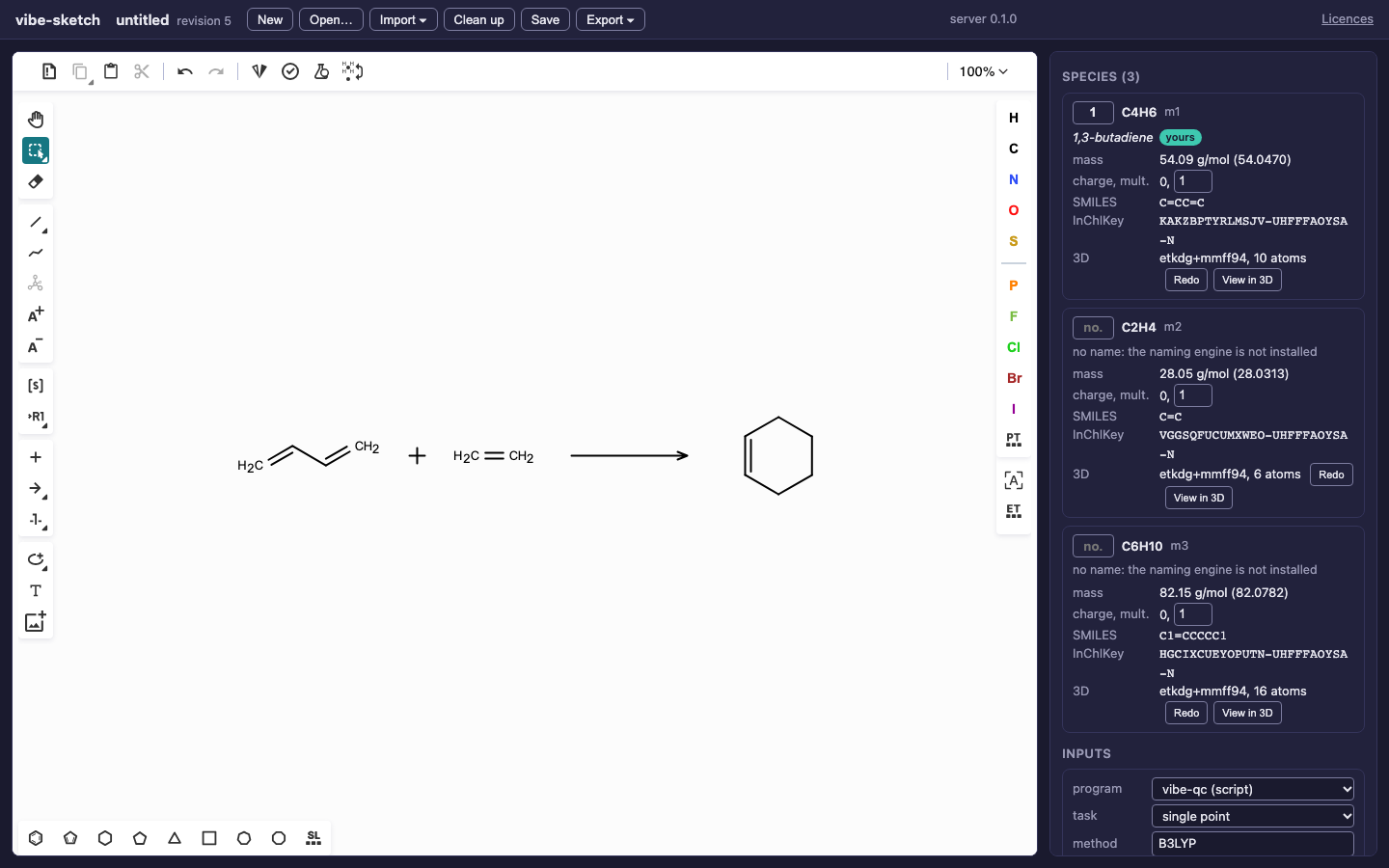
The browser displays the MCP client’s edits. The saved VSK records those
edits with actor agent and client mcp in provenance.
Tools |
Exercise |
|---|---|
|
Discover the app, documents and supported writer capabilities. |
|
Create the reaction, inspect identity, save and reopen it. |
|
Append/replace, label, name, clean and prepare the shared drawing. |
|
Write three vibe-qc scripts, SVG and a VSK. |
|
Read the document’s runs, or handle the queue install hint. |
|
Use the queue lifecycle exercise. |
|
Send a prepared species through the viewer handoff. |
An agent can use this prompt with the same tools:
Open my Diels–Alder sketch, check the species and roles, prepare missing 3D geometries, and write vibe-qc B3LYP/def2-SVP single-point inputs into a new directory. Export an SVG and save a VSK copy. Report warnings and refused requests. Do not submit calculations.
Run vibe-sketch submit, runs and cancel only for the queue workflow;
view launches the viewer. These commands are covered in their own
illustrated tutorials rather than hidden inside the preparation scripts.
See the coverage map for every REST route and tool.