Follow, cancel and reopen vibe-qc calculations
First complete the reaction-to-vq tutorial. It walks from manual drawing through publication SVG to three real vibe-qc single points. Its separate queue configuration avoids mixing the exercise with your normal jobs. This chapter extends that workflow to cancellation, reopening records and automated clients.
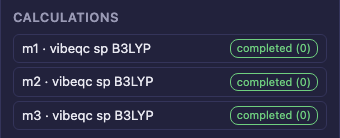
Real vibe-qc calculations submitted through vq. Input generation alone would not create these completion states.
Check readiness, then submit once
In the same environment as the sketch server, run
vq programs localhost --require vibeqc. Keep the tutorial’s foreground
vq daemon run active. Select vibe-qc in Inputs and inspect the Submit
button’s hint. The selected program, not merely the presence of some
quantum-chemistry program, must be available. GET /api/queue exposes the
same readiness information to clients.
Tick only the intended species and press Submit to vibe-queue once. Species lacking 3D are embedded first. Job and run records are added to the document. Save after submitting, then watch Calculations refresh through pending/running and a terminal state. Submitting again creates another run. A writer can refuse one species while submitting others; read the refusal list rather than assuming the whole batch ran.
Cancel your test run
Submit a fresh test calculation that you intend to stop. While it is pending or running, use its Cancel button. The button identifies the species, program and run. Confirm that the resulting run state is terminal. A run that already finished cannot be cancelled; a race with completion is reported, not rewritten as a cancellation.
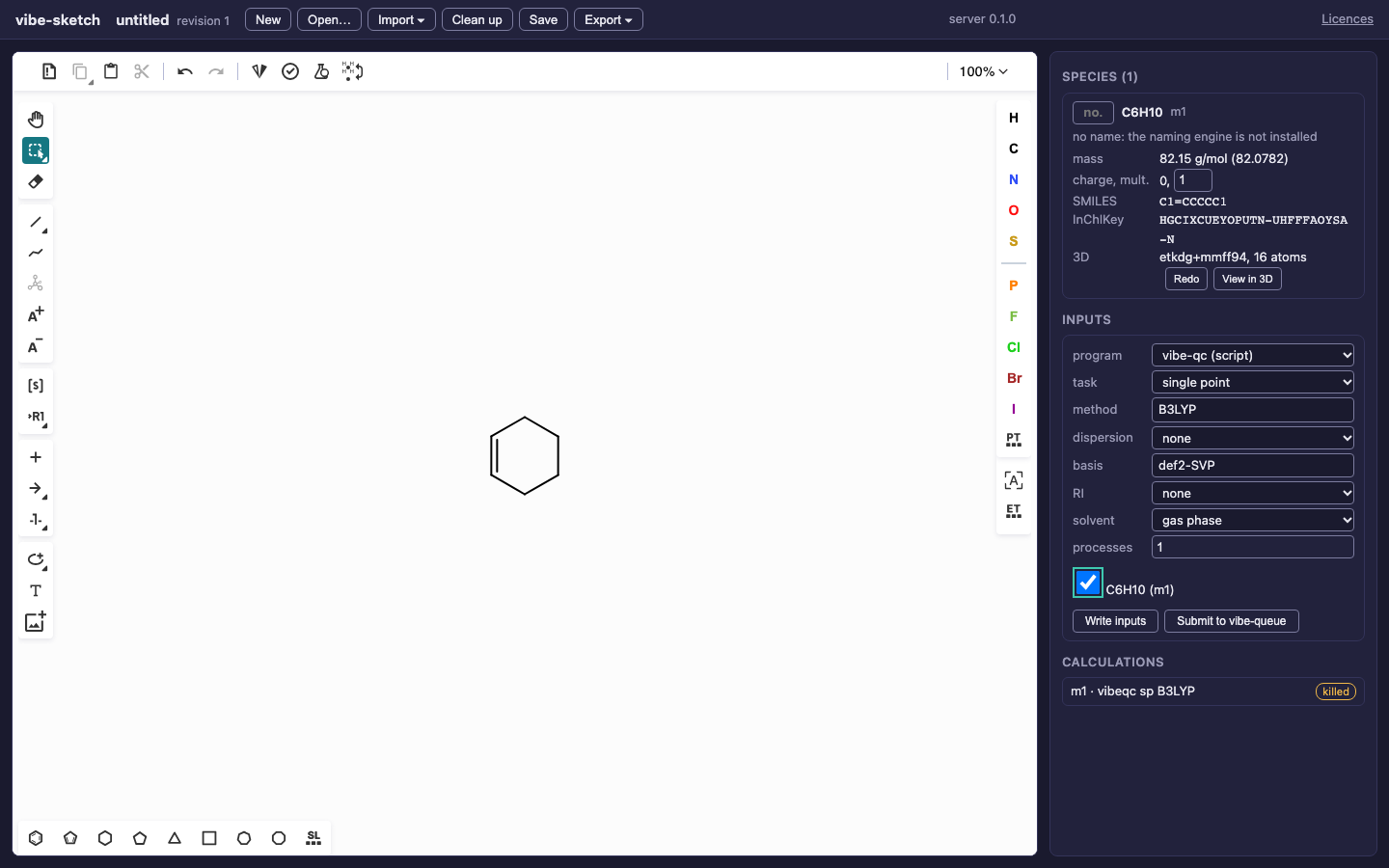
This newly submitted test run was cancelled through MCP. Its terminal state and saved run record were checked before capture.
The CLI alternatives use your actual document and run id:
vibe-sketch submit diels-alder-3d.vsk --species m1 --program vibeqc \
  --task sp --method B3LYP --basis def2-SVP --nprocs 1
vibe-sketch runs diels-alder-3d.vsk --json
vibe-sketch cancel RUN_ID
The CLI records submitted jobs in the document named on its command line. Do not use a run id copied from a screenshot; your own run ids differ.
Reopen, fetch and inspect
Save the document containing the run records, close or reload it, and reopen
it with the same queue configuration. Use Calculations or
vibe-sketch runs FILE to recover the status. A record whose queue state is
unavailable can be shown as unknown; it is not proof that the job succeeded.
vq status localhost RUN_ID
vq progress localhost RUN_ID
vq fetch localhost RUN_ID --workspace -o results
Use --workspace for these generated vibe-qc scripts. Read the fetched output
for method, charge/spin, convergence and geometry. Keep the original result
QVF and use vibe-view for detailed result inspection. Importing it into
vibe-sketch keeps supported structures, not every calculation payload;
save a sketch copy.
Exercise the lifecycle over REST or MCP
Download queue_lifecycle.py,
reaction_rest.py and
reaction_mcp.py into one directory.
Start vibe-sketch serve in the isolated queue environment. These commands
submit real jobs:
python queue_lifecycle.py http://127.0.0.1:8766 h2-rest --transport rest --submit
python queue_lifecycle.py http://127.0.0.1:8766 cancel-mcp --transport mcp --submit --cancel
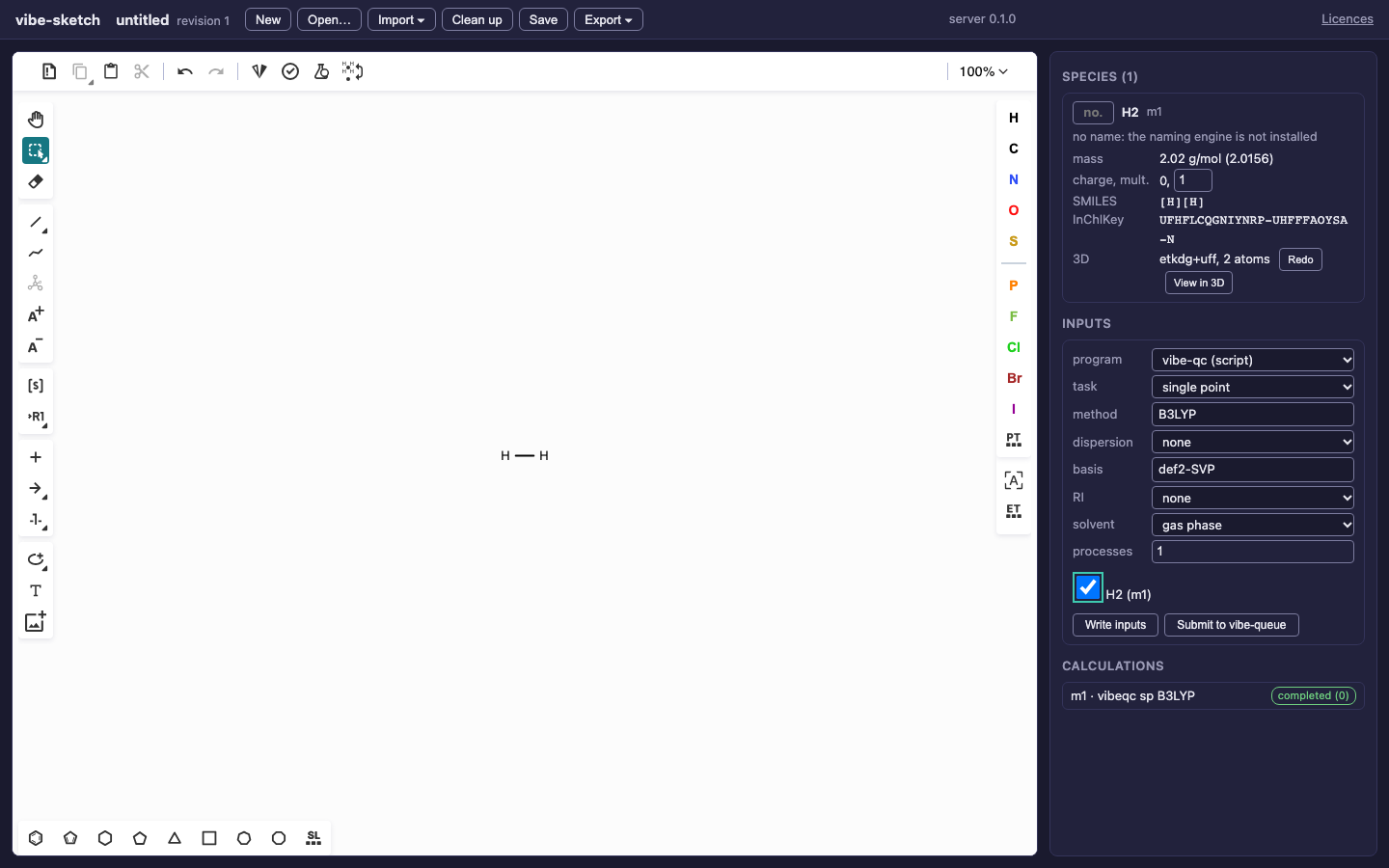
A completed H2 example from the downloadable lifecycle client, using the same vibe-qc and vq integration as the browser.
The first runs a small H2 B3LYP/def2-SVP single point to completion. The second
submits a cyclohexene test and immediately cancels that new run only.
Both save/reopen the sketch and verify that its run record survives. Swap
rest and mcp to exercise the other transport. Add --view explicitly to
send the resulting structure to an installed vibe-view.
The REST sequence uses /submit, /runs and /api/queue/runs/{id}/cancel;
the MCP sequence uses submit_jobs, show_runs and cancel_run. The optional
viewer step calls /view or show_in_vibe_view. The script prints the live
browser document and a fetch command. Its local run.json contains operational
paths; do not publish that record as an example document.
After fetching results, stop only this exercise’s foreground daemon and server. A failed or timed-out run requires inspecting its output before retrying. Automatic reaction energies, grouped reaction jobs and barrier searches remain planned capabilities.