Draw and publish a Diels–Alder reaction
Make a three-species reaction sketch, check its interpretation, and export a figure. The teaching example is 1,3-butadiene + ethene → cyclohexene: a Diels–Alder (4+2) cycloaddition. It has no substituted stereocentres, so it avoids implying an endo/exo assignment. The drawing is an illustration, not an experimental procedure.
Download the editable VSK,
KET,
SVG or
PNG. Start the browser with
vibe-sketch serve --open, or use the desktop app. Save any existing work
before selecting New.


Build the reactants and product
Select the single-bond tool in the left palette. Draw a four-carbon zigzag on the left, with three bonds. Unlabelled endpoints and corners are carbon.
Expand the bond palette, choose a double bond, and click the first and third bonds. This gives
C=CC=C; the middle bond remains single.Draw one separate double bond to its right for ethene,
C=C. Keep the two molecules apart. Choose Reaction plus and place a plus between them.Select the six-membered ring template from the bottom palette and place it farther right. Change one ring bond to double: the product is cyclohexene.
Choose the forward reaction arrow and drag from the gap after ethene towards cyclohexene. The arrow must not intersect either molecule.
Use the selection tool to move whole molecules, then Clean up to standardize their geometry. Undo and Redo let you compare changes; zoom out if the scheme no longer fits.
If you want to start from text, choose Import ▾ → SMILES… and paste
C=CC=C.C=C>>C1=CCCCC1. Import appends to the current drawing, so use a new
empty document first. The screenshot below uses that reproducible import.
The hydrogenation tutorial also demonstrates
manual drawing from the ring, atom, bond, plus, arrow and text tools.
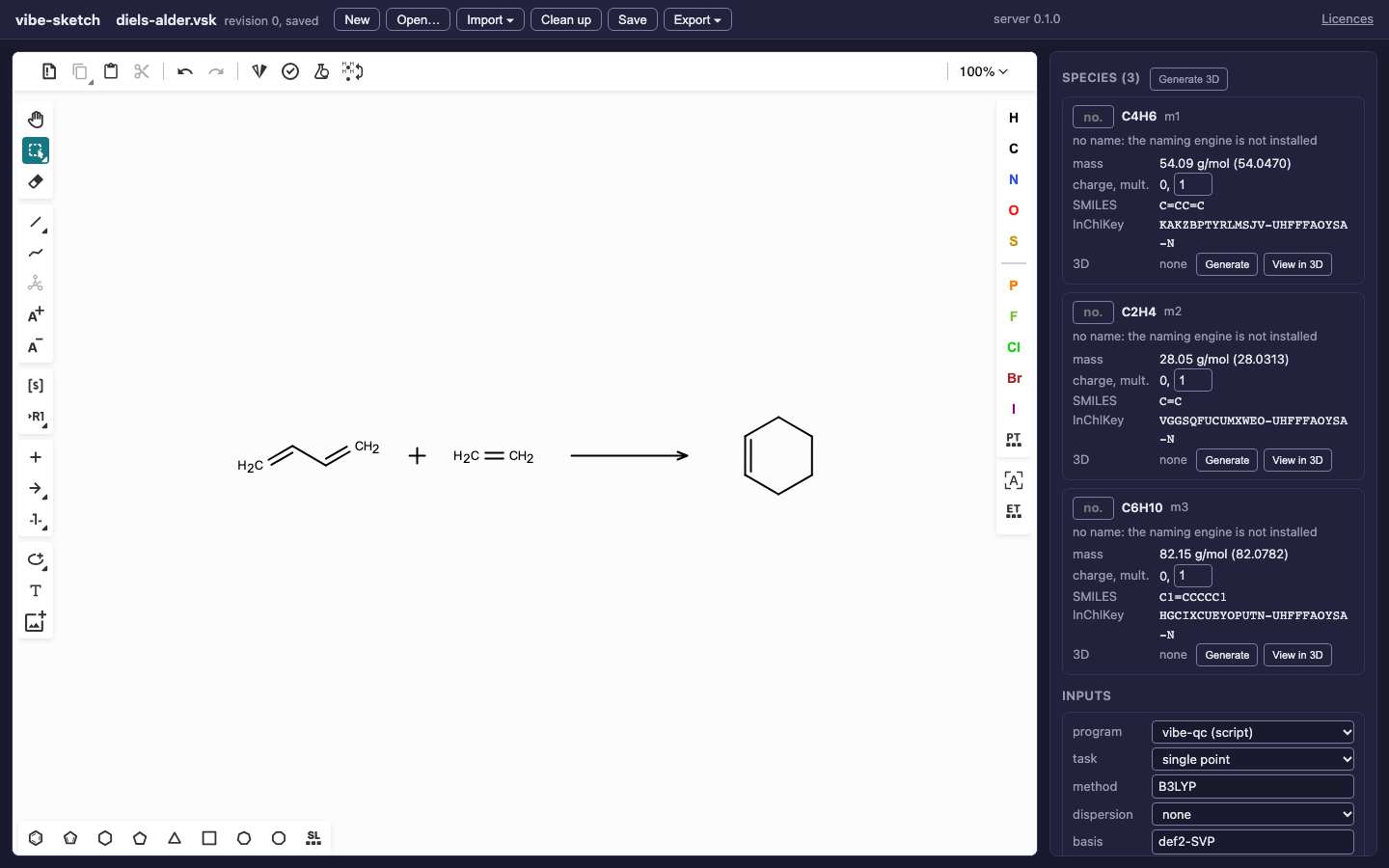
The imported Diels–Alder teaching scheme. The properties panel is part of the same document, not a separately entered chemical description.
Check the scheme before publishing
Match the three species cards to C4H6, C2H4 and C6H10. All have charge 0 and multiplicity 1. Under Reactions, check that butadiene and ethene are reactants and cyclohexene is the product. Both sides contain C6H10. Moving a molecule above an arrow can turn it into a reagent; moving it across the arrow can change its role. Check the panel after rearranging.
Enter compound numbers in the small Compound number fields on the cards. For a visible condition, use the T tool above the arrow and apply your text. Add only conditions or yields you can support. An arbitrary annotation does not become a measured result. See mechanisms and steps for curved arrows and linked reactions.
Save an editable master and a publication image
Save as QVF or VSK first. These keep the drawing, species, annotations and prepared geometries. Then choose Export ▾ → SVG. The SVG renderer composes a scheme from the interpreted reaction, using the current ACS 1996 style; it may rearrange the canvas. Inspect its labels, bonds and arrow spacing at the final size you will place in the manuscript.
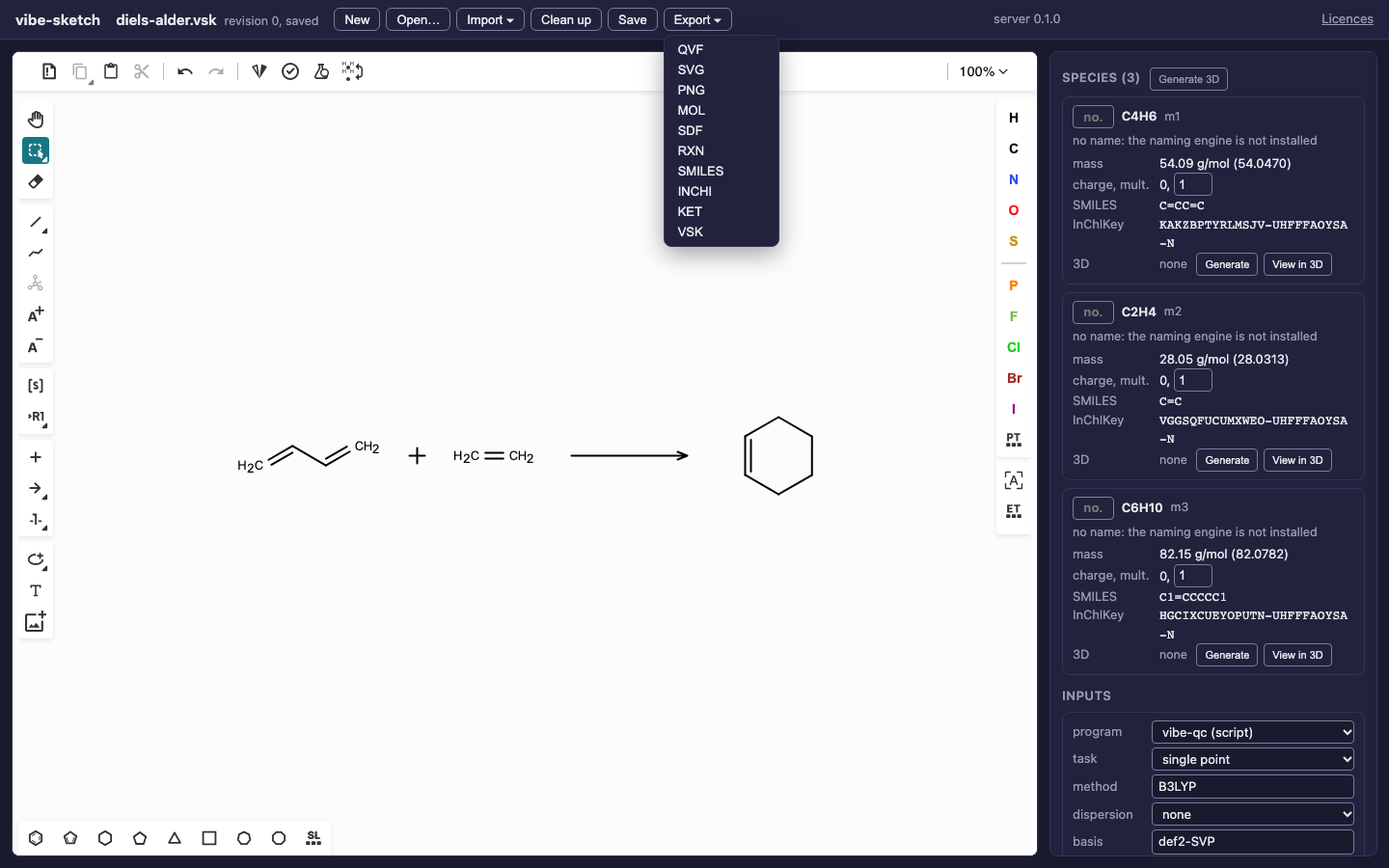
SVG is the vector figure. Browser PNG rasterizes the exported scheme SVG.

The actual exported figure. Compare this layout with the editable canvas.
Use Export ▾ → PNG when your submission system needs a raster image. The browser rasterizes the scheme SVG; this works for this reaction. There is currently no DPI or target-width dialog. Check the downloaded image’s pixel dimensions against your publisher’s requirements. For example, 1200 pixels across a 4-inch printed figure gives 300 pixels per inch; changing a DPI tag alone does not add detail. Keep the SVG for rescaling.
The CLI/server PNG renderer currently accepts a single structure; scheme
PNG is the browser’s SVG conversion. PDF, chemfig, CDXML export,
additional publication styles and exact canvas-layout SVG are planned.
Do not select a different format merely by changing a filename extension.
Reproduce and calculate
vibe-sketch convert 'C=CC=C.C=C>>C1=CCCCC1' --from smiles -o diels-alder.vsk
vibe-sketch render diels-alder.vsk --format svg -o diels-alder.svg
vibe-sketch embed diels-alder.vsk -o diels-alder-3d.vsk
vibe-sketch input diels-alder-3d.vsk --all --program vibeqc \
  --task sp --method B3LYP --basis def2-SVP --output-dir inputs
These write three independent species inputs. They do not calculate a transition state, reaction barrier or reaction energy. Follow Generate vibe-qc inputs to choose tasks and submit through vq to run them. The complete CLI download checks and prepares the same scheme without submitting a job.